How to deploy website on cPanel using git version control
Deploying a website on cPanel using Git version control is a powerful way to manage and update your site efficiently. Below is a concise guide for deploying websites using Git on cPanel, covering both public and private repositories.
Deploying Websites on cPanel Using Git (Public Repositories)
Log in to cPanel Access your cPanel account using your credentials.
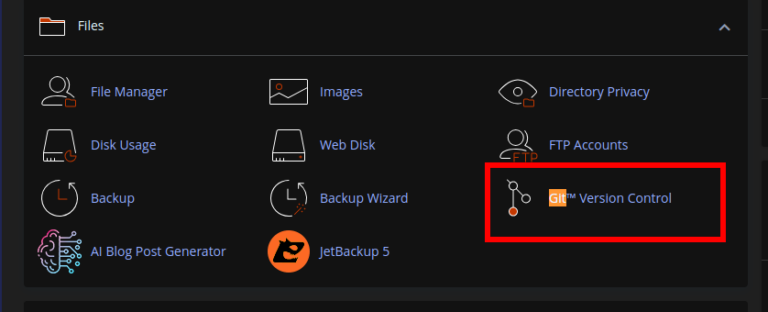
Navigate to Git Version Control In the cPanel dashboard, locate and click on Git Version Control under the Files section.
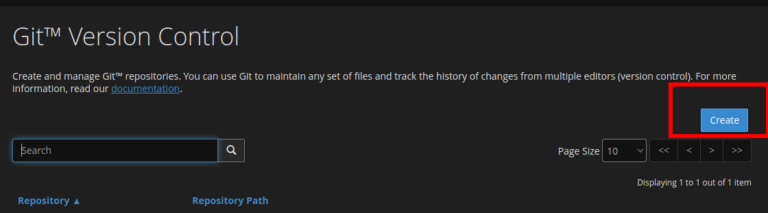
Create a Repository
- Click Create to set up a new repository.
- Choose Clone a Repository to clone an existing repository from GitHub, GitLab, or another Git hosting service.
Enter Repository Details
-
Clone URL
: Provide the clone URL of your public repository (e.g.,
https://github.com/username/repository.git).
-
Repository Path
: Specify the directory where the repository will be cloned (e.g.,
public_htmlor a subdirectory).
-
Repository Name
: Enter a name for the repository (this is for display purposes only).